🏫 Piezzle School
Jigsaw puzzles in the classroom, with the teacher right there
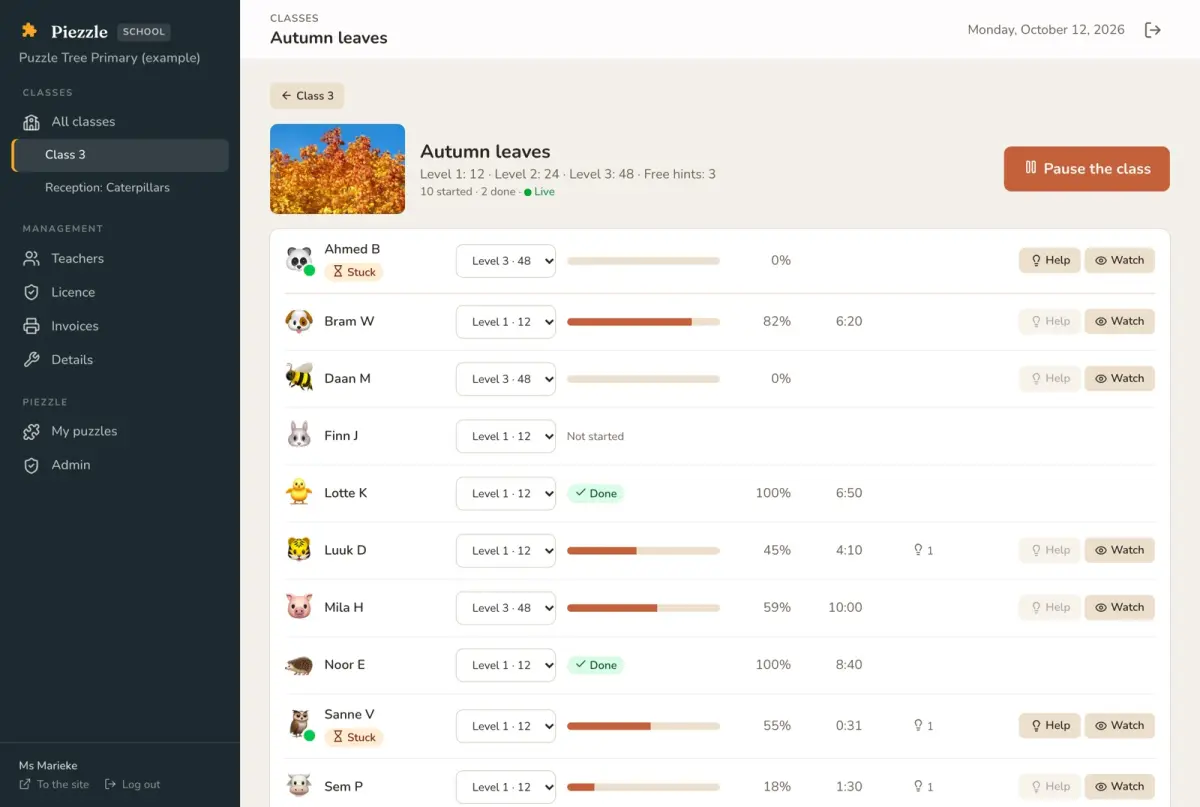
Children puzzle on their own tablet or computer and the teacher sees the whole class live: who is getting on, who is stuck and who has a hand up. For primary schools, for children aged 4 to 12.
How it works
Set up the class
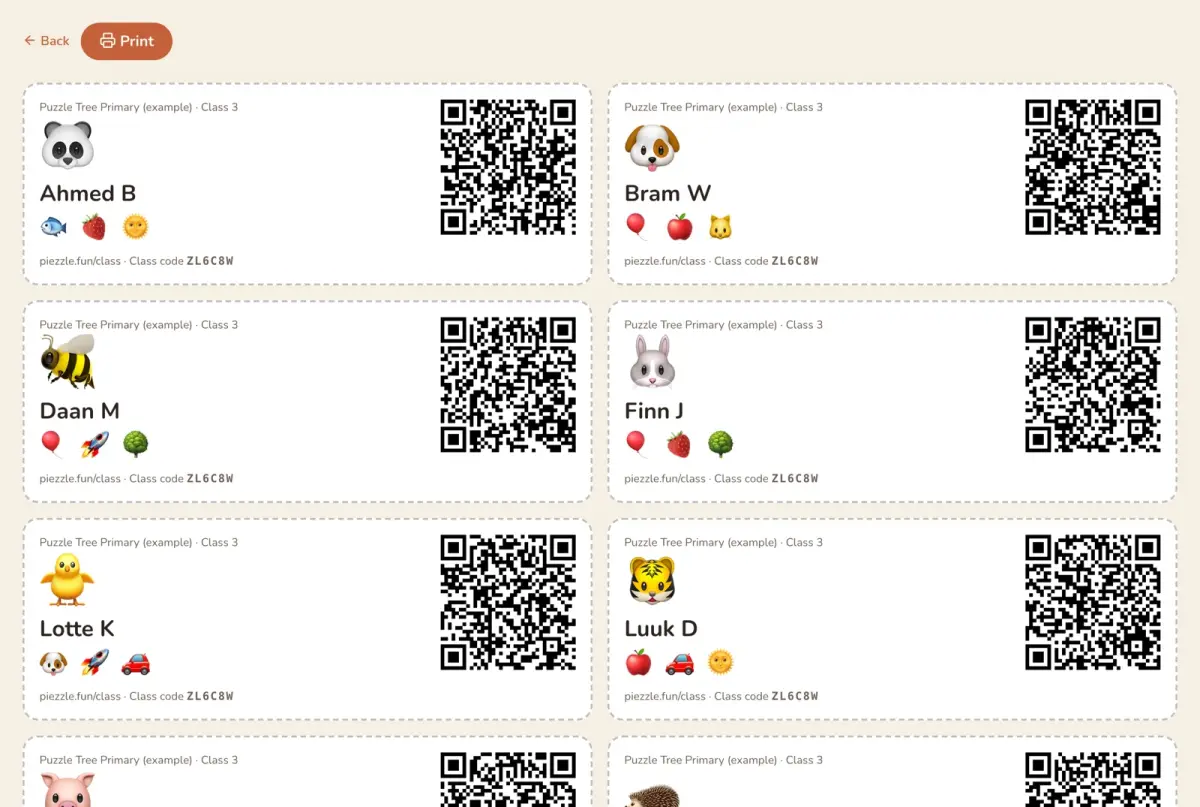
Make a class and add the children by first name and initial. Print sign-in cards with a QR code, or let them sign in with the class code and three pictures.
Set an assignment
Pick a puzzle and set each child's level: more or fewer pieces. You also decide how many hints there are.
Follow along live
For each child you see how far they are and how long they have been at it. When a child raises a hand or gets stuck, you see it at once.
What the teacher can do
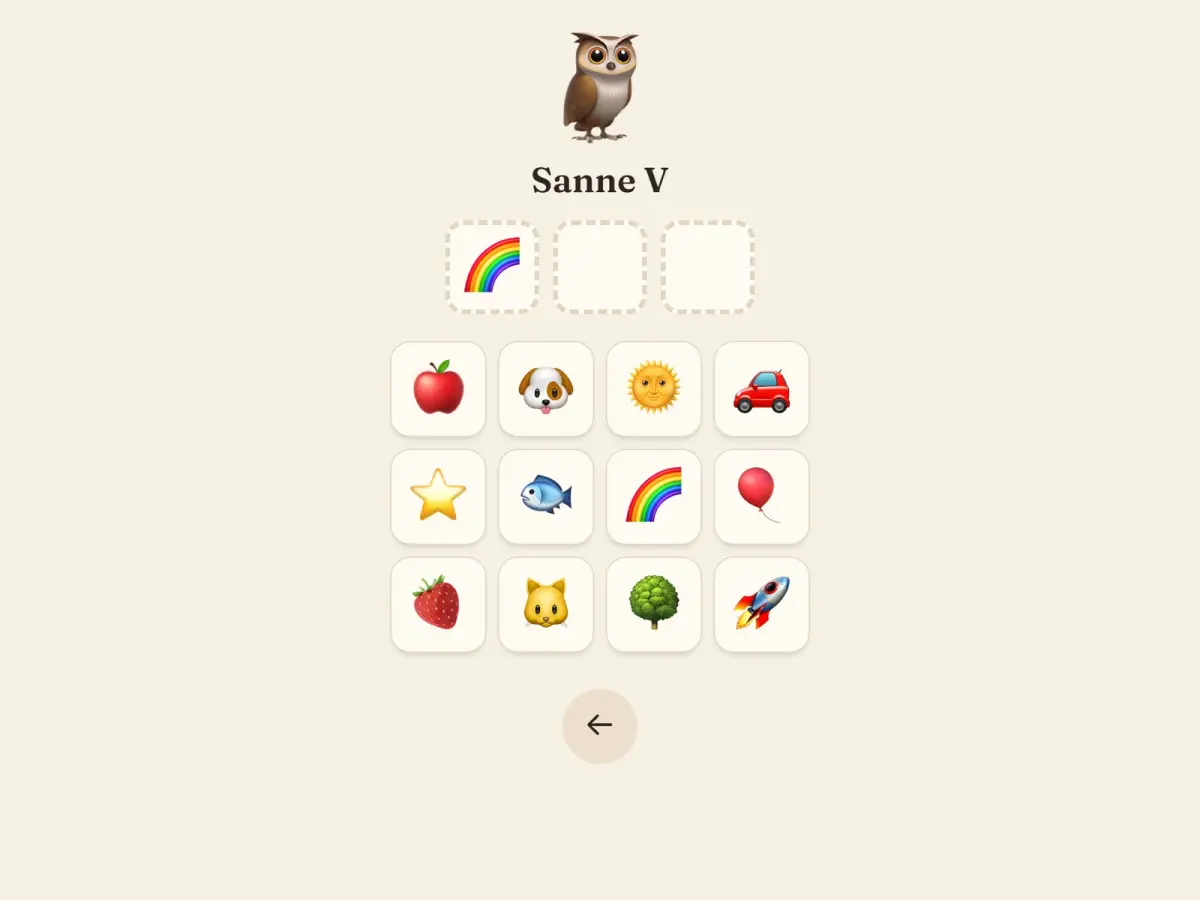
Signing in without reading
Their own animal and three pictures, or a card to scan. The youngest can just tap their name.
A level for each child
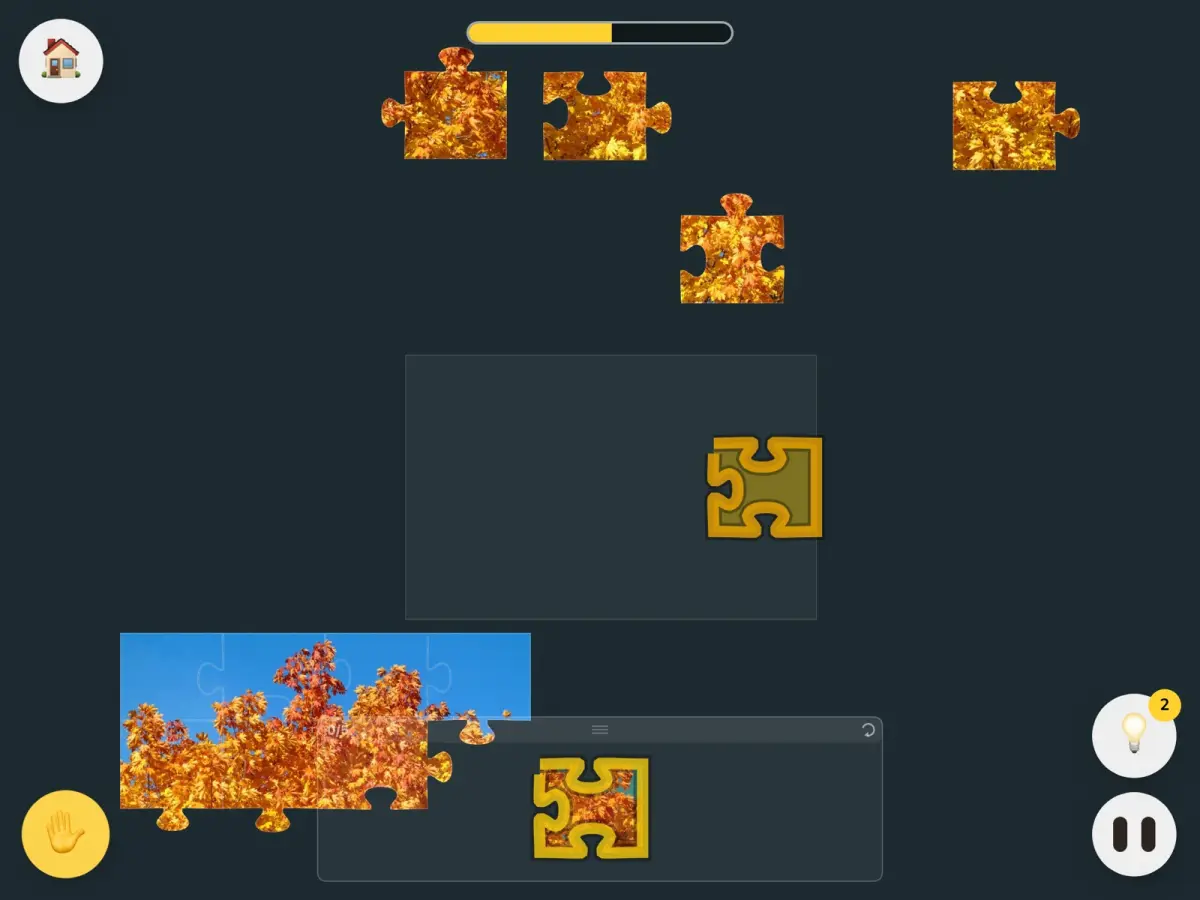
The same puzzle in three sizes, so every child works at their own level.
Hands up
A child asks for help with one button; your screen shows who.
Help from a distance
Light up the spot where a piece goes on a child's board, without walking over to their table.
Look on
See a child's board on your own screen or on the whiteboard.
Pause the class
One button covers every board and stops the clock, for when you need everyone's attention.
🔒 Safe for children
- ✓No e-mail address and no date of birth: only a first name and the initial of the surname.
- ✓Children never see ads and cannot chat.
- ✓Every school is walled off: nobody sees the classes or children of another school.
- ✓The data is kept in the EU, with Strato in Germany.
Questions
What do the children need?
A tablet, Chromebook or computer with a browser. Nothing to install.
How do children sign in?
At piezzle.fun/class with the class code, their own animal and three pictures, or by scanning their sign-in card.
What does it cost?
The trial is free, and one teacher can then carry on with one class for free. For more classes the school chooses a licence, per class or for the whole school, by invoice.
What do children learn from it?
Spatial reasoning and shapes, fine motor skills on the tablet, planning and perseverance. With the levels every child gets a puzzle that fits.
Try it free for 30 days
Thirty days of everything, for one class, with no payment details. Mail us; we set up the school and send an invitation.
Ask for a trial